
New
Tech-Protect
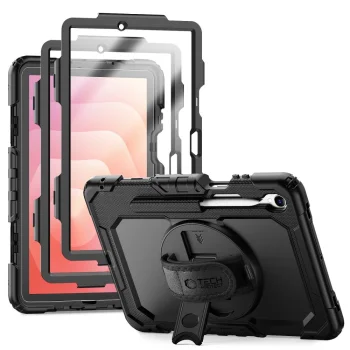
Tech-Protect Solid Case for Samsung Galaxy Tab S11 11.0 X730 / X736B, Black
Delivery in 5–12 business days
29.00 €
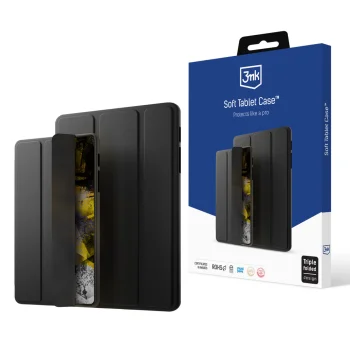
Samsung Galaxy Tab S11 (SM-X730 / X736B) cases include Tech-Protect and 3MK accessories, with stand-style options and a Tech-Protect case with a keyboard. They suit people who carry their tablet, set it on a desk or type on it regularly. Check the tablet’s model code against the individual case first, then decide whether a stand or keyboard matters for your use.
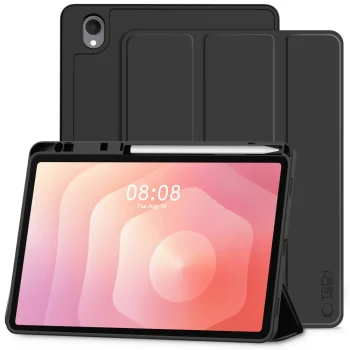
Samsung Galaxy Tab S11 (SM-X730 / X736B) cases cover several ways to use a case with this tablet. The named options include a case with a stand function, the Tech-Protect SC Pen case with a keyboard, the Tech-Protect Solid case and the Tech-Protect SmartCase Pen case. Tech-Protect and 3MK are brands associated with this category. Cases sit within the broader Samsung Galaxy Tab tablet accessories group, where screen protectors are a separate product type. The focus here is on selecting a case rather than assuming that every accessory in the wider group serves the same purpose.
Start by checking the model code of your tablet against the wording for the particular case. The category specifies SM-X730 / X736B, while individual case names use X730 / X736B or X730 / X736. Do not treat those codes as interchangeable without checking the individual product. Next, consider where the tablet is used: a stand function is relevant when placing it on a desk, while a keyboard matters if you plan to type. Several Tech-Protect case names also specify 11.0, so compare that size designation as well as the model code.
A Galaxy Tab S11 case can be selected around a familiar task: setting the tablet on a surface, typing with a keyboard, or using a case without a keyboard specified in its name. If the priority is an accessory for the display, screen protectors belong to a different part of the Samsung Galaxy Tab accessories group. For these cases, begin with the exact tablet designation.
For a Galaxy Tab S11 case, compare your tablet’s model code with the designation on the individual product. The category specifies SM-X730 / X736B, while one case name uses X730 / X736.
A Galaxy Tab S11 case is listed with a stand function. Check the individual case if a stand is important, as the feature is not stated in every case name.
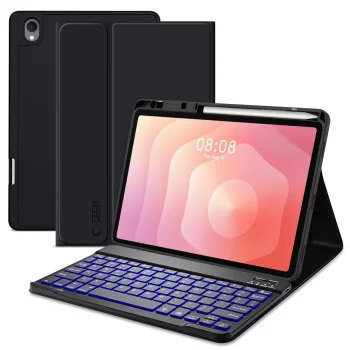
The Tech-Protect SC Pen case for Galaxy Tab S11 has a keyboard stated in its name. Compare its model designation with your tablet before selecting it.
11.0 is a size designation used in several Tech-Protect Galaxy Tab S11 case names. Check the tablet model code as well as the size designation.
+371 20408041
info@motivs.lv
Duntes 56, Rīga, LV-1005, Latvija
Monday: 10:00 - 19:00
Tuesday: 10:00 - 19:00
Wednesday: 10:00 - 19:00
Thursday: 10:00 - 19:00
Friday: 10:00 - 19:00
Saturday: Closed
Sunday: Closed
 Gudri pirkumi vienuviet
