
New
Wozinsky
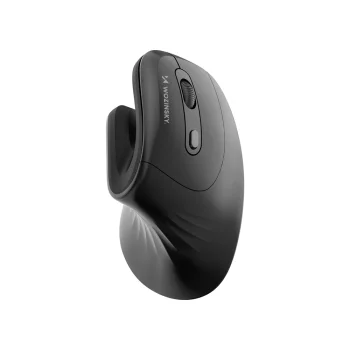
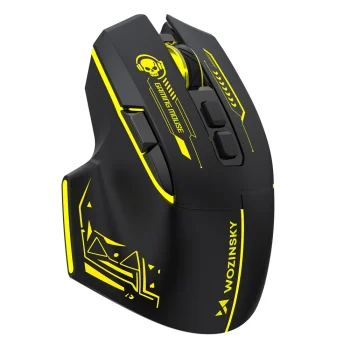
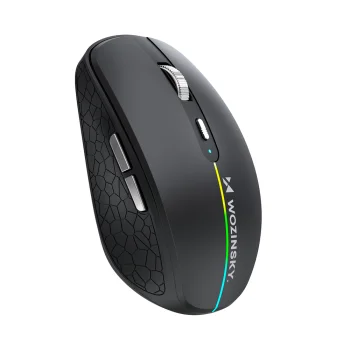
Wozinsky WWM-1076 Wireless Vertical Ergonomic Mouse 3600 DPI - Black
Delivery in 5–12 business days
15.30 €
Computer mice include wireless optical mice, vertical mice and gaming mice from Rebeltec, Izoxis, Onikuma and other brands. These options suit document work, study and gaming, with connection type and grip shape providing a useful starting point for comparison. Check the mouse dimensions, USB receiver requirements and listed DPI to narrow down a suitable option.
Computer mice cover everyday desktop tasks, studying and gaming, with wireless optical, slim-bodied, vertical wireless and gaming designs available. Brands include Rebeltec, Onikuma, Wozinsky, Machenike, Liocat, Delux, Maxlife and Dunmoon, alongside vertical mice from Izoxis. Rebeltec Galaxy is a wireless optical option, while Rebeltec DIABLO is a gaming mouse. Each type offers a different starting point when comparing shape and intended use.
Start with the connection type and the way you normally hold a mouse. For documents and browsing, compare body shape and dimensions; for gaming, also consider the listed DPI. Check the selected model's connection requirements and compatibility with your computer. A mouse that uses a USB receiver needs a suitable USB port. Look up the power source and dimensions in the product description rather than judging these details from photographs alone.
For home, office or study use, focus on a comfortable grip and a suitable connection. Gaming models suit gaming comparisons, while vertical mice offer an alternative hand position.
Check the wireless mouse's connection type, power source and compatibility with your computer. A model with a USB receiver requires a suitable USB port.
A vertical mouse has an upright body that changes the position of your hand when gripping it. Whether a vertical mouse feels comfortable depends on hand size and your preferred grip.
Mouse DPI describes sensitivity: with other settings unchanged, a higher DPI produces more cursor movement for the same physical mouse movement. The appropriate sensitivity depends on the task and personal preference.
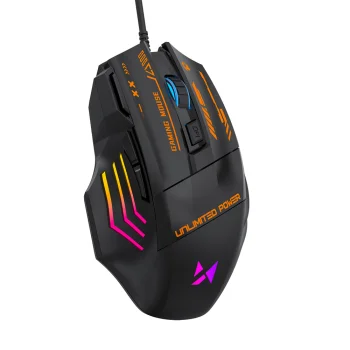
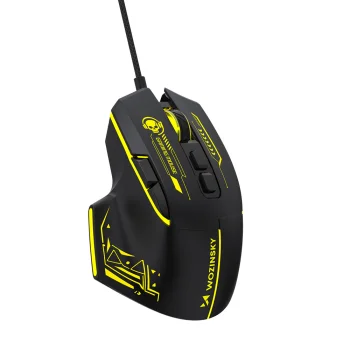
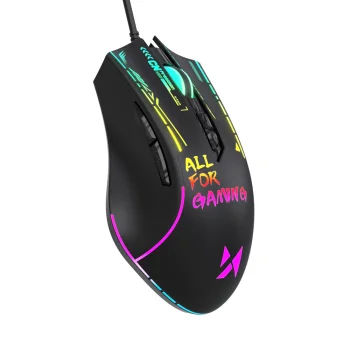
Gaming computer mice include Rebeltec DIABLO and models from other brands. Compare the gaming mouse's shape, controls and listed DPI when choosing.
+371 20408041
info@motivs.lv
Duntes 56, Rīga, LV-1005, Latvija
Monday: 10:00 - 19:00
Tuesday: 10:00 - 19:00
Wednesday: 10:00 - 19:00
Thursday: 10:00 - 19:00
Friday: 10:00 - 19:00
Saturday: Closed
Sunday: Closed
 Gudri pirkumi vienuviet
