
- Gifts & Party Decorations
- Phone Accessories
- Photo & Video
- Computers & Electronics
- Sports & Fitness
- Beauty & Health
- Car & Motorcycle Accessories
- Bicycle Accessories
- Home & Living
- Garden & Outdoor
- Baby & Kids Products
- Games, Hobbies & Leisure
- Travel & Outdoor Activities
- Pet Supplies
- Discounted Items & Products with Defects
Camera Monitors and Teleprompters
Camera monitors and teleprompters include Neewer camera monitors, DJI wireless control monitors, Telesin additional selfie screens for smartphones and Desview teleprompters. These devices support video creators who need to view a camera image or read a prepared script while recording. Choose according to the task: monitoring footage, filming yourself with a phone or presenting scripted content to camera.
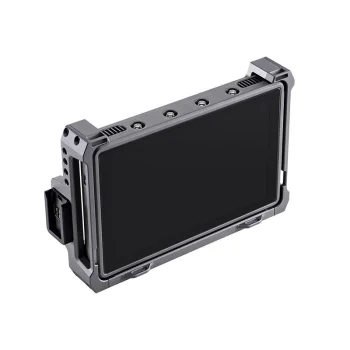
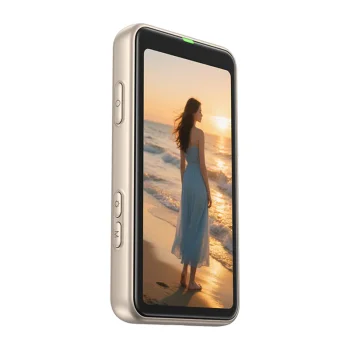
Camera monitors and teleprompters support different parts of video recording. Neewer camera monitors provide a separate view of the camera image, while DJI wireless control monitors support wireless viewing and control. Telesin additional selfie screens are intended for smartphones. Desview teleprompters serve a different purpose: helping a presenter read prepared text while speaking to camera. The starting point is whether the recording needs image monitoring or script support.
How to choose camera monitors and teleprompters
Consider the recording device and the task before comparing screen features. Check the selected device’s compatibility with the exact camera or smartphone model. For a camera monitor, compare screen size, resolution, brightness and connection type. HDMI connectivity and wireless operation suit different recording arrangements, so assess how the monitor will fit into the equipment you use and the space where you film.
- Camera monitors: Neewer monitors offer a separate screen for viewing the camera image. Consider the screen size needed to review framing during recording.
- Wireless control monitors: DJI offers monitors for wireless viewing and control. The monitor’s intended role within the recording setup is an important selection criterion.
- Smartphone selfie screens: Telesin additional screens are intended for filming yourself with a smartphone. Their purpose differs from that of a separate camera monitor.
- Teleprompters: Desview teleprompters support reading prepared text to camera. Typical uses include presentations, spoken explanations and recorded announcements.
- Display characteristics: Brightness matters in relation to the lighting where you record, while resolution describes image detail. Assess both alongside screen size.
Camera monitors and wireless control monitors address image monitoring, while additional selfie screens support smartphone recording. For a presenter working through a prepared script, a teleprompter addresses the text-reading task rather than simply providing another view of the camera image.
Frequently Asked Questions
What is the difference between a camera monitor and a teleprompter?
A camera monitor displays the camera image on a separate screen. A teleprompter supports reading prepared text while speaking to camera.
Which type of screen is intended for filming yourself with a smartphone?
A Telesin additional selfie screen is intended for smartphone use. A smartphone selfie screen serves a different recording purpose from a separate camera monitor.
Which display features matter when choosing a camera monitor?
Camera monitor selection involves screen size, resolution and brightness. The connection type also matters when integrating a monitor into recording equipment.
When is a teleprompter useful?
A teleprompter is useful for recording presentations, explanations and announcements that follow prepared text. The teleprompter supports the presenter’s script-reading task.


