
- Gifts & Party Decorations
- Phone Accessories
- Photo & Video
- Computers & Electronics
- Sports & Fitness
- Beauty & Health
- Car & Motorcycle Accessories
- Bicycle Accessories
- Home & Living
- Garden & Outdoor
- Baby & Kids Products
- Games, Hobbies & Leisure
- Travel & Outdoor Activities
- Pet Supplies
- Discounted Items & Products with Defects
Camera monitors and teleprompters
Camera monitors and teleprompters for video recording include the Neewer F700 camera monitor and the Desview T3 teleprompter. A monitor lets you watch the camera image while recording, whereas a teleprompter helps a speaker follow prepared text. Choose by the task first: check screen size and camera video output for a monitor, or consider how a teleprompter fits your recording setup.
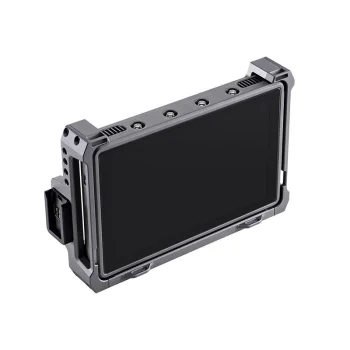
Camera monitors and teleprompters serve different purposes during video recording. The Neewer F700 is a 7-inch camera monitor with a Full HD screen, 2000 nits of brightness and an HDMI connection. It provides a separate screen for viewing the camera image. The Desview T3 is a teleprompter for recordings in which a speaker needs to follow prepared text. Choosing between these product types begins with the recording task: watching the image from the camera or working from a script. Although both can be part of a video setup, a teleprompter and a camera monitor are not substitutes for one another.
How to choose camera monitors and teleprompters
For the Neewer F700, first check whether your camera's video output can connect to the monitor's HDMI input. Consider whether a 7-inch screen suits the space available and the distance from which you will view it. Full HD resolution and 2000-nit brightness are stated specifications of this monitor and can help you assess its screen. If the speaker needs to read prepared text during a recording, consider the Desview T3 instead. Check how a teleprompter would be positioned in your own camera arrangement and alongside the device you intend to use for the text.
- Camera monitor: The Neewer F700 offers a separate view of the camera image. It addresses the need to keep an eye on the shot during recording.
- Screen size: The Neewer F700 has a 7-inch screen. Compare that size with the available room in your filming workspace.
- Display specifications: The Neewer F700 is listed as Full HD with 2000-nit brightness. These figures describe this particular camera monitor.
- HDMI connection: The Neewer F700 uses HDMI. Check the video output on your camera before choosing a connection arrangement.
- Teleprompter: The Desview T3 is intended for recording with prepared text. Its role differs from a monitor used to view the camera image.
Camera monitors are relevant when viewing the shot matters throughout filming. Teleprompters are relevant to presentations, direct-to-camera speaking and other recordings based on a prepared script. When comparing the Neewer F700 and Desview T3, identify which task you need to support, then check how the chosen product would fit into your recording setup.
Frequently Asked Questions
What is the difference between a camera monitor and a teleprompter?
A camera monitor displays the camera image for viewing during recording. A teleprompter helps a speaker follow prepared text.
Can the Neewer F700 connect to my camera?
The Neewer F700 camera monitor has an HDMI connection. Check your camera's video output and the connection you will need before choosing it.
What size is the Neewer F700 screen?
The Neewer F700 camera monitor has a 7-inch Full HD screen and a stated brightness of 2000 nits.
When would I use the Desview T3 teleprompter?
The Desview T3 teleprompter is relevant when a speaker needs to follow prepared text during a video recording.


