
- Gifts & Party Decorations
- Phone Accessories
- Photo & Video
- Computers & Electronics
- Sports & Fitness
- Beauty & Health
- Car & Motorcycle Accessories
- Bicycle Accessories
- Home & Living
- Garden & Outdoor
- Baby & Kids Products
- Games, Hobbies & Leisure
- Travel & Outdoor Activities
- Pet Supplies
- Discounted Items & Products with Defects
Microphones and microphone stands
Microphones and microphone stands include Boya, Maono, Saramonic and Puluz lavalier, wireless, studio, gaming and desktop conference microphones, alongside boom arms and mounts. These options suit video creators, interviewers and people setting up voice communication at a desk. Choose according to the recording device connection, microphone position and whether the speaker needs to move during recording.
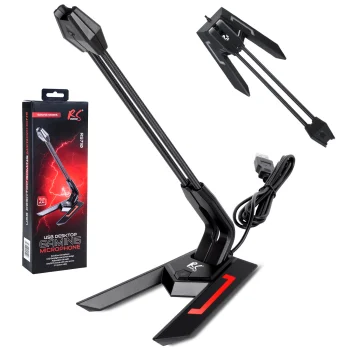
Microphones and microphone stands cover voice recording for video, interviews, gaming and desktop conversations. Brands include Boya, Maono, Saramonic and Puluz, with lavalier microphones, wireless options, dynamic microphones and studio condenser microphones. Desktop conference microphones, gaming models, boom arms and studio kits with pop filters provide different ways to arrange a recording space.
How to choose microphones and microphone stands
Start with the microphone position: clipped to clothing, placed on a desk or attached to a boom arm. Check the exact model’s compatibility with your recording device and audio connection. Options include USB-C and jack connections, alongside wired and wireless operation. For a wired microphone, consider cable length and the distance to the recording device. For a wireless setup, review the included components and connection method. The number of microphones included also matters when recording more than one speaker.
- Lavalier microphones: clip to clothing for interviews and speech on camera. This placement leaves the speaker’s hands free during recording.
- Wired and wireless microphones: choose according to the recording layout and the need to move. Some models offer both wired and wireless use.
- Studio condenser microphones: options include kits with a scissor arm stand and pop filter. Compare the kit contents with the equipment already in your recording space.
- Gaming and conference microphones: Maono gaming models and Boya desktop conference microphones offer desk-based options for voice communication.
- Boom arms and mounts: Maono microphone supports provide ways to position a microphone at a desk. Consider the mounting location and the microphone position you want to achieve.
Lavalier microphones suit interviews on camera, while studio kits provide a starting point for a fixed recording setup. Desktop and gaming microphones serve conversations at a computer, with stands and mounts chosen to match the workspace layout.
Frequently Asked Questions
How do I choose the right microphone connection?
The microphone connection needs to match the recording device’s audio input. Options include USB-C and jack connections; check the exact microphone model’s compatibility before choosing.
When should I use a lavalier microphone?
A lavalier microphone clips to clothing and suits interviews or speech on camera. A clip-on microphone leaves the speaker’s hands free rather than requiring a handheld microphone.
Do studio microphones come with a stand and pop filter?
Studio condenser microphone options include kits with a scissor arm stand and pop filter. The individual studio kit description specifies the included components.
What is the difference between a desktop microphone and a boom arm?
A desktop microphone captures sound and sits on a desk. A microphone boom arm is a mounting accessory used to position a separate microphone.


