
- Gifts & Party Decorations
- Phone Accessories
- Photo & Video
- Computers & Electronics
- Sports & Fitness
- Beauty & Health
- Car & Motorcycle Accessories
- Bicycle Accessories
- Home & Living
- Garden & Outdoor
- Baby & Kids Products
- Games, Hobbies & Leisure
- Travel & Outdoor Activities
- Pet Supplies
- Discounted Items & Products with Defects
Laptop Computers
Laptop computers include GEEKOM GeekBook X14 Pro and GeekBook X16 Pro models with Intel Ultra processors, SSD storage and Windows 11. These laptops suit shoppers choosing a computer for work, study or everyday tasks. Start with screen size, then compare the processor, RAM, storage capacity and Windows edition against the requirements of the applications you plan to use.
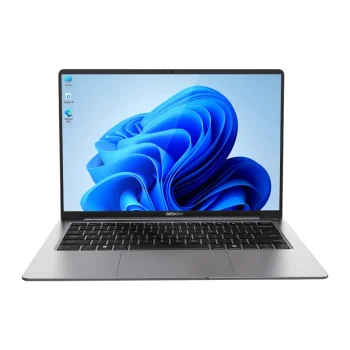
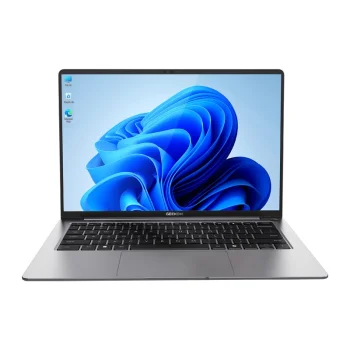
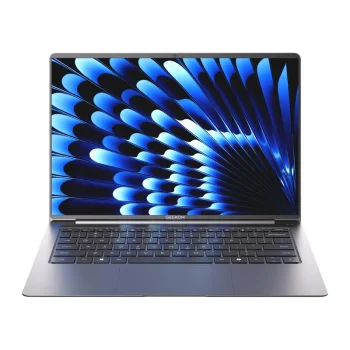
Laptop computers from GEEKOM include GeekBook X14 Pro and GeekBook X16 Pro models in different hardware configurations. Options include 14-inch laptops with 2.8K OLED displays and a 16-inch model with a 2.5K display and a 120 Hz refresh rate. Listed configurations feature Intel Ultra processors, SSD storage and Windows 11, including Windows 11 Pro.
How to choose GEEKOM laptop computers
Start by identifying the tasks the laptop will handle, such as document editing, studying or running several applications together. Screen size helps establish your preferred format, while processor and RAM choices should reflect your software requirements. Consider how much storage your applications and files need. Check the exact configuration before choosing, as GeekBook X14 Pro models are listed with different processors, RAM capacities and SSD capacities.
- Display: GeekBook X14 Pro configurations list a 14-inch 2.8K OLED display. GeekBook X16 Pro lists a 16-inch 2.5K display with a 120 Hz refresh rate.
- Processor: Options include Intel Core Ultra 5 and Intel Core Ultra 9 configurations. Compare the processor with the system requirements of your work or study applications.
- RAM: Listed configurations include 16 GB or 32 GB of memory. Consider application requirements and how many programs you expect to run at the same time.
- SSD storage: Storage options include 500 GB and 1 TB SSDs. Choose capacity according to the space needed for software, documents and other files.
- Operating system: Models list Windows 11 or Windows 11 Pro. Include the Windows edition when comparing configurations for your intended software.
Compare GEEKOM laptop computers in a consistent order: display, processor, RAM, SSD and Windows edition. These criteria help distinguish GeekBook X14 Pro and GeekBook X16 Pro configurations for everyday work, study and file storage.
Frequently Asked Questions
Which GEEKOM laptop models are offered?
GEEKOM laptop computers include GeekBook X14 Pro and GeekBook X16 Pro models. GeekBook X14 Pro configurations differ in processor, RAM and SSD capacity.
How do the GeekBook X14 Pro and GeekBook X16 Pro displays differ?
GEEKOM GeekBook X14 Pro configurations list a 14-inch 2.8K OLED display. GeekBook X16 Pro lists a 16-inch 2.5K display with a 120 Hz refresh rate.
How much RAM and SSD storage should I choose for a laptop?
Laptop RAM should match your applications' requirements and the number of tasks you run together, while SSD capacity should accommodate your software and files. Listed configurations include 16 GB or 32 GB RAM and 500 GB or 1 TB SSD storage.
Which operating system is listed for GEEKOM GeekBook laptops?
GEEKOM GeekBook laptops list Windows 11 or Windows 11 Pro. The Windows edition varies by configuration.


