
- Gifts & Party Decorations
- Phone Accessories
- Photo & Video
- Computers & Electronics
- Sports & Fitness
- Beauty & Health
- Car & Motorcycle Accessories
- Bicycle Accessories
- Home & Living
- Garden & Outdoor
- Baby & Kids Products
- Games, Hobbies & Leisure
- Travel & Outdoor Activities
- Pet Supplies
- Discounted Items & Products with Defects
External SSD Drives
External SSD drives include Lexar SL300, SL500 and SL600 portable models, plus Lexar Professional SL400 SSD drives with a hub. These drives suit document storage, photo collections, video files and moving work between devices. Choose according to the storage capacity your files require and whether your setup would also benefit from a hub.
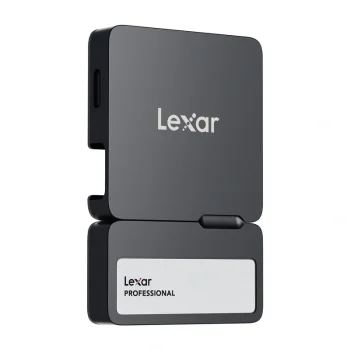
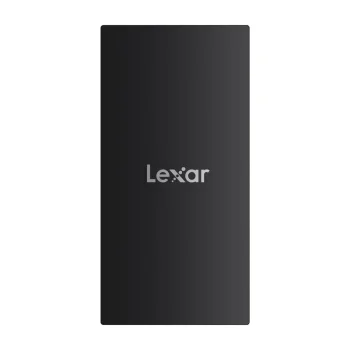
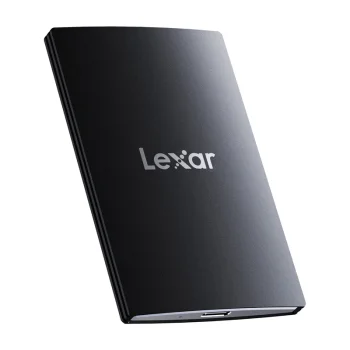
External SSD drives provide storage for documents, photographs, videos and project files outside a computer’s internal storage. The range includes Lexar SL300, SL500 and SL600 portable SSD drives, alongside Lexar Professional SL400 SSD drives with a hub. The main choices are storage capacity and whether a combined SSD and hub suits your setup.
How to choose external SSD drives
Start by checking the total size of the files you want to store, then allow room for future additions. A document archive and a growing video collection can have different capacity requirements. Check the exact Lexar model’s connection and compatibility requirements against your device. If you also need a hub, review the Lexar Professional SL400 specifications for that part of your setup.
- Storage capacity: Account for existing files and expected additions. Include the space needed for backup copies if the drive will serve that purpose.
- Portable SSD drives: Lexar SL300, SL500 and SL600 are external SSD models. Compare the listed specifications of individual options rather than judging capabilities from the series name alone.
- SSD drives with a hub: Lexar Professional SL400 combines an SSD with a hub. Consider this format when your workspace needs both file storage and hub functionality.
- Intended use: Decide whether the external SSD will hold an archive, backup copies or files transferred between devices. This helps you plan the capacity required.
- File organisation: Separate work projects, personal media and backups into clearly named folders. An organised folder structure makes stored material easier to find and storage use easier to review.
Lexar external SSD drives suit personal file collections and working documents. Choose a standalone portable SSD for storage tasks, or consider Lexar Professional SL400 when a hub is also part of your workspace requirements.
Frequently Asked Questions
Which Lexar external SSD models are available?
The external SSD range includes Lexar SL300, SL500 and SL600, plus Lexar Professional SL400 SSD drives with a hub.
How much external SSD capacity do I need?
Choose external SSD capacity based on the total size of your files, with room for future additions. Include any backup copies you intend to keep on the drive.
What makes Lexar Professional SL400 different?
Lexar Professional SL400 is an external SSD with a hub. It combines file storage and hub functionality in one device.
How do I check whether an external SSD works with my computer?
Check the external SSD model’s listed connection and compatibility requirements against your computer’s ports and system. Use the individual drive specifications to confirm suitability.


