
Webcam Covers
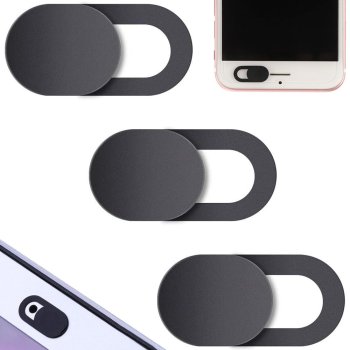
Browse slim, adhesive webcam covers for laptops, monitors, phones and tablets. With smooth sliding shutters, you can close or open your camera in a second and feel confident on every call. Pick the right size, material and color to protect your privacy at home, at work or on the go, without affecting your screen or device use.
-12%
-17%
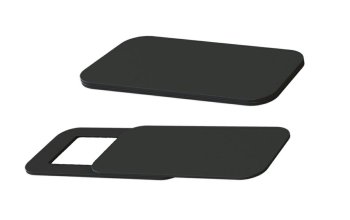
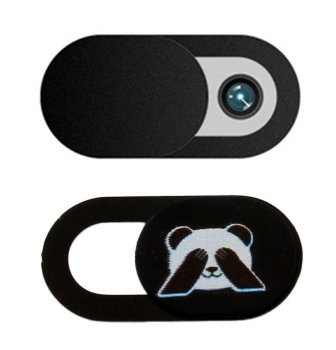
Webcam covers are a simple, effective way to protect your privacy in everyday digital life. In this category you will find universal sliding covers for laptops, desktop monitors, smartphones, tablets and external webcams. Options include compact oval and rectangular shapes, multi‑piece packs, and popular colors from discreet black to clean white, so you can match your device. Most covers use a secure adhesive backing and a smooth slider that blocks the lens in one motion without interfering with the display or how you use your device.
Typical use cases include remote work and learning, video calls at home and in the office, business trips and coworking spaces where extra peace of mind matters. A cover helps prevent accidental camera activation during meetings, protects children during online classes and gaming, and lets creators or streamers instantly go off‑camera between sessions. It also makes a practical, thoughtful gift for anyone who frequently uses a laptop or phone.
Key advantages include an ultra‑thin profile that allows your laptop to close fully, durable materials such as ABS plastic or aluminum, and quality adhesive that holds firmly yet removes cleanly when handled correctly. Some models have a wider window for larger camera modules, while others are extra‑small for phones. Important characteristics to consider are thickness (often around 0.7–1 mm), slider resistance so it does not open unintentionally, and overall size to avoid covering nearby sensors or touching the display bezel.
How to choose: First, check the placement of the camera and adjacent sensors on your device to ensure the cover will not obstruct them. For laptops with very thin bezels, choose the lowest possible profile to avoid pressure on the panel when closed. For smartphones and tablets, look for smaller, narrower designs that work with screen protectors and cases. If you use multiple devices, versatile multi‑size packs are convenient. Before installation, clean the surface with a lint‑free cloth, peel the backing, center the cover over the lens and press firmly. To remove, gently lift a corner and pull parallel to the surface to minimize residue.
- Ultra‑thin profile for safe laptop lid closure
- Reliable adhesive backing with clean removal
- Smooth sliding shutter for quick open/close
- Sizes and shapes for phones, tablets, monitors and webcams
- Durable ABS plastic or aluminum construction
- Does not obstruct the display or affect the microphone