
SD memory cards
SD memory cards include SD, SDHC and SDXC models from Philips, SanDisk, Transcend and Intenso for compatible photo and video devices. The cards vary in capacity and speed markings, including Class 10, UHS-I U1, U3 and V30. If you need a card for photography or video recording, check your device’s supported card format first, then compare capacity and speed class with its requirements.
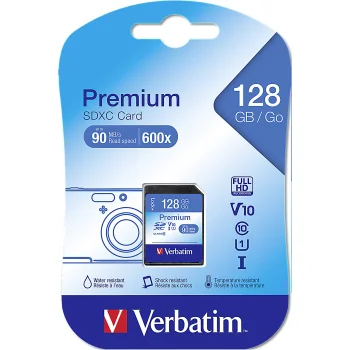
SD memory cards in this category cover SD, SDHC and SDXC formats. Brands include Philips, SanDisk, Transcend, Intenso, AgfaPhoto, Samsung and Verbatim. These cards provide storage for photo and video devices that support the relevant format. The models differ in capacity and stated speed class: examples include a 2 GB Transcend SD card, 8 GB and 32 GB SDHC cards, and Philips SDXC cards with 128 GB or 256 GB of storage. Looking at the format, capacity and markings together makes it easier to distinguish cards that might otherwise look similar.
How to choose SD memory cards
Start with your device’s documentation and check whether it supports SD, SDHC or SDXC. A card’s physical appearance alone does not establish that a device supports its format or capacity. Next, consider how much space you need for photos and video. If your recording mode specifies a write-speed requirement, compare that requirement with the card’s markings. Models here carry markings such as Class 4, Class 10, U1, U3 and V30. Capacity tells you how much data a card can hold, while a speed-class marking addresses a different consideration, so neither should replace the compatibility check.
- SD cards. The models include a 2 GB Transcend SD card. Check the device’s supported formats before selecting it.
- SDHC cards. Examples include 8 GB and 32 GB cards with differing speed markings, including Class 4 and Class 10.
- SDXC cards. Philips and SanDisk models include 64 GB, 128 GB and 256 GB options. Confirm SDXC support in the intended device.
- Speed classes. U1, U3 and V30 markings help you compare a card’s stated write-speed class with a video mode’s requirements.
- Model details. Cards from the same brand can have different capacities and speed markings, so check the full product name.
For photography and video recording, choosing an SD memory card begins with format compatibility. Once you know which of SD, SDHC and SDXC your device supports, you can compare capacities and speed-class markings according to how you plan to use the card.
Frequently Asked Questions
Will an SDXC memory card work in my device?
An SDXC memory card requires a device that supports SDXC. Check the device documentation for supported card formats before choosing one.
What is the difference between SDHC and SDXC memory cards?
SDHC and SDXC are different SD card formats. Check both the card format and capacity against your device’s stated support.
What do U3 and V30 mean on an SD card?
U3 and V30 are write-speed class markings. Compare the SD card’s markings with the requirements of your intended video recording mode.
Which SD card capacity should I choose?
Choose an SD card capacity based on the amount of photo and video storage you need. Also check that your device supports the format of a card with that capacity.


