
- Gifts & Party Decorations
- Phone Accessories
- Photo & Video
- Computers & Electronics
- Sports & Fitness
- Beauty & Health
- Car & Motorcycle Accessories
- Bicycle Accessories
- Home & Living
- Garden & Outdoor
- Baby & Kids Products
- Games, Hobbies & Leisure
- Travel & Outdoor Activities
- Pet Supplies
- Discounted Items & Products with Defects
SD and microSD card readers
SD and microSD card readers include USB readers, multi-connector models and combined card readers and hubs from Lexar, Ugreen, Tech-Protect and other brands. They suit photo, video and everyday file transfer tasks. Choose according to your memory card format and the connection on your device, with USB-A, USB-C, Lightning and Micro USB options represented across the range.
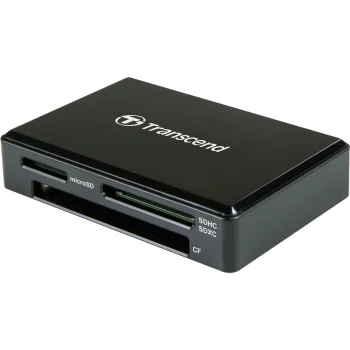
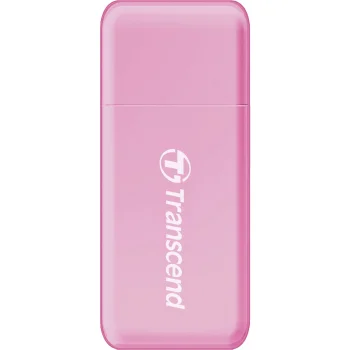
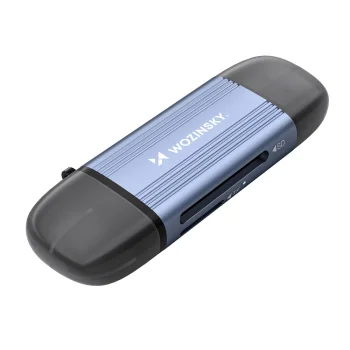
SD and microSD card readers provide access to photos, videos and other files stored on memory cards. Options include USB readers, dual USB-A and USB-C models, Lightning readers and combined card readers and hubs. Brands include Transcend, Icy Box, Conceptronic, Hama, Lexar, Freewell, Tech-Protect and Benfei, alongside Ugreen and others. Different connector combinations suit different working setups, whether a reader stays at a desk or is used across several devices.
How to choose SD and microSD card readers
Start with the card format and the available port on your computer, phone or tablet. Check the specific reader's compatibility with your device model and memory card before choosing. Next, compare the connector arrangement and stated USB standard. For regular photo and video transfers, consider the card, reader and device port together rather than judging the connection by its shape alone.
- SD and microSD slots: Choose a reader with slots for the card formats you use. TF is another designation used for microSD in product names.
- USB-A and USB-C connections: Readers are available with either connection or both. Dual-connector models are useful when moving between devices with different ports.
- Lightning and Micro USB: These connections appear on selected readers. The device connector and the memory card slot are separate selection criteria.
- USB standards and UHS-II: Options include USB 2.0, USB 3.0 and readers specifying UHS-II support. USB standards and card interfaces describe different parts of the connection.
- Combined card readers and hubs: These models bring card reading and hub functions together. Refer to the individual product description for the connector arrangement.
For importing camera photos, working with video files or transferring documents, match the reader to the card format and the connections you use. A standalone reader or a combined reader and hub can suit different desk layouts and file-handling routines.
Frequently Asked Questions
Which card reader connection should I choose?
The card reader connection should match the port on the device you intend to use. Options include USB-A, USB-C, Lightning and Micro USB, depending on the reader.
Can one card reader handle both SD and microSD cards?
A card reader with both SD and microSD slots supports the two card formats. The individual reader's description lists its supported formats.
What does TF mean in a card reader name?
TF is a designation used for microSD cards in card reader names. An SD/TF reader provides slots for SD and microSD formats.
How does a card reader and hub differ from a standard reader?
A combined card reader and hub provides card-reading functions alongside additional connectivity. The number and types of connections depend on the model.
What are the most popular 2026 products in category - SD and microSD card readers
What are the newest products in category - SD and microSD card readers
- Memory Card Reader Ugreen 65024 USB-C / USB-A SD 4.0 UHS-II, Black
- Wozinsky WCR-5G Memory Card Reader for SD and microSD, USB-A / USB-C 3.0, Gray
- Newell OTG 4-in-1 3.0 Memory Card Reader and Hub, USB-A / USB-C, Graphite
- Orico CRS21 USB 3.0 SD and microSD Memory Card Reader, Black
- Orico CL4D-A3 USB-A 3.0 Memory Card Reader for SD microSD CF MS, Black and Silver


